Offline travel
A Google Translate alternative you can take offline
Take OffLingua along for messages, signs and menu photos. A practical guide to setting up an on-device iPhone translator before your trip.
Read the guide OffLingua
A little understanding goes a long way
The small restaurant with the menu in its window. A message from your host. The sign at the next turn. OffLingua helps you read what is around you, with text and photo translation that works right on your iPhone.
Download on theApp StoreOne purchase. No subscription. Made in EU.
Take a look inside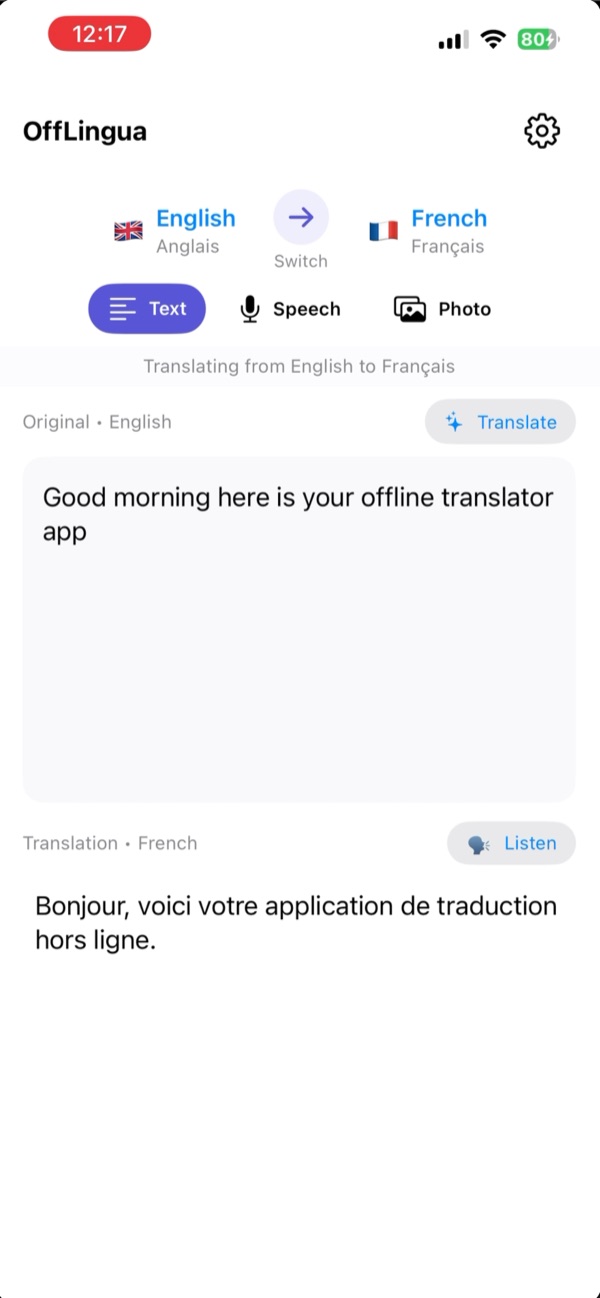
You do not have to know every word
Travel is full of ordinary moments that feel less ordinary in another language. You want to know what is on the plate, where the bus stops, or how to reply without making the conversation awkward. Open OffLingua, choose your languages and bring those words a little closer.
A closer look
Explore Text, Photo, and Speech in OffLingua. Open each screen to see every detail.
01 Text
Paste the directions your host sent you, type the question you want to ask, or bring in a longer passage. The original and the translation sit in the same view, so you can see what you wrote and copy the answer when you are ready.
A searchable language picker keeps the next language close at hand. Swap the direction when it is your turn to reply. Once the translation model is downloaded, the text is processed on your phone, including when you have no connection.
02 Photos
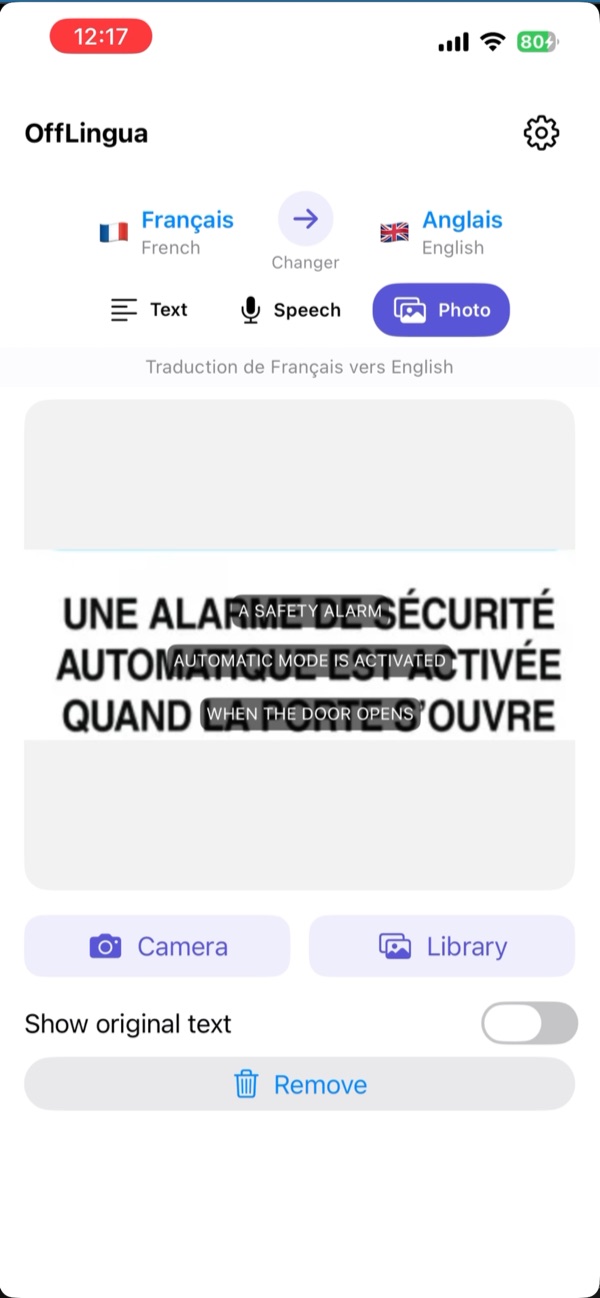
Some words are already in front of you. Take a photo of a menu, a shop notice or a printed label, or choose an image from your library. OffLingua recognises the text and places the translation over the photograph, keeping it next to the thing you are trying to understand.
Switch the original text back on when you want to check a name or point to a line. A clear, well-lit photo gives the app more to work with; small print and reflections are easier to handle when you move a little closer. Photo recognition and translation run on your iPhone after setup.
03 Speech
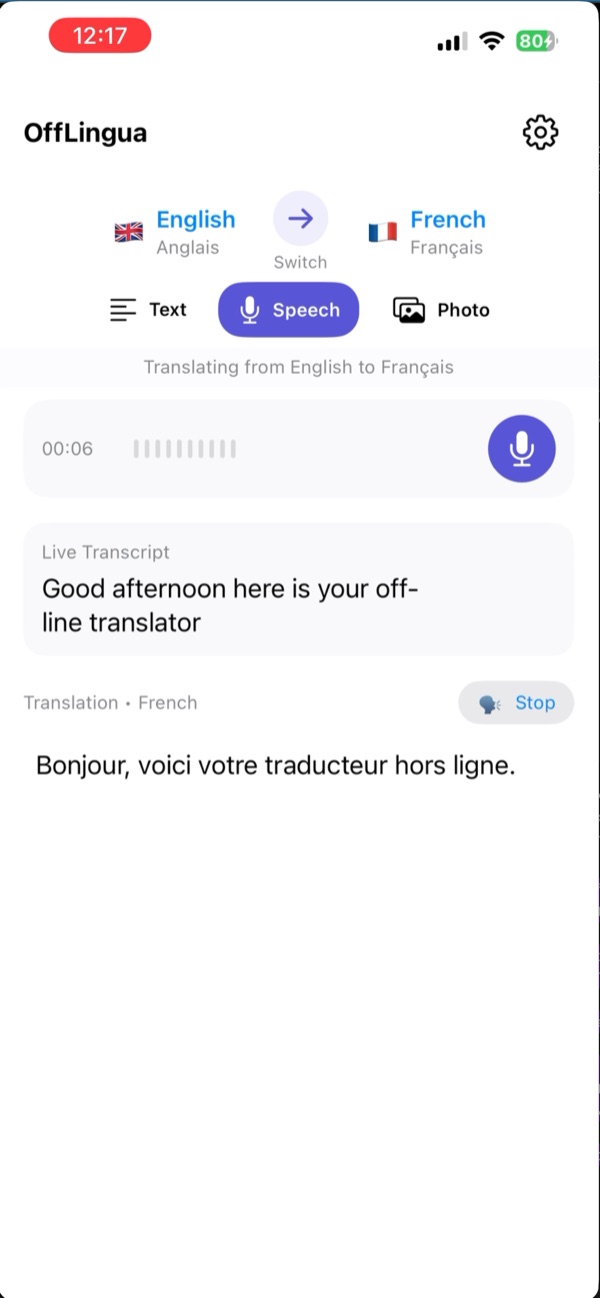
When it is easier to speak than to type, use the microphone. Watch your words appear in the live transcript, stop recording, then read the translation. Use Listen to hear the translated text spoken aloud when that language is available.
For a quick question at a counter, that means you can stay in the conversation. Voice input uses Apple Speech: offline recognition depends on your language and iPhone, and some combinations need a connection. Try the language you need before leaving; text and photos are there when voice is unavailable.
The translating happens here
OffLingua carries its translation model with you. Download it once while you have a reliable connection, then translate text and photos on the device. You can read a message or translate a photographed sign without waiting for reception or finding Wi-Fi.
There is no separate OffLingua account to create and no recurring OffLingua subscription. The app is a one-time purchase through Apple. Downloads, App Store purchases and some Apple Speech modes still need a connection; the privacy page explains each part in ordinary language.
How your information is handledA familiar word, far from home
English, Romanian, French, Spanish, Japanese, Arabic and more: the app has over 50 translation language choices. Search by name, choose where you are starting and where you want to go. The languages available for voice recognition and spoken output can differ from the translation list.
Check your exact languages in the app’s picker. A few everyday phrases are a good first test.
Before you set off
Buy the app through the App Store. Apple shows the price and compatibility for your region; the current app requires iOS 17 or later.
Use a steady connection, allow space for the model and keep the app open until it is ready. This is what makes text and photo translation available offline.
Try a message and a photo with connectivity off. Test speech separately, so you know what is ready on your own iPhone.
One short look
A short sequence from the App Store screenshots: a typed question, a photograph, then the words translated over it. Press play when you want to take a closer look.
A few things you might be wondering
Yes, text and photo translation work offline after the model download. Voice is a separate step: Apple Speech availability depends on your language and device, so test it offline before your trip.
No separate OffLingua account is needed, and the current app is a one-time App Store purchase. Apple handles installation, purchase and billing.
Yes. Choose it from the photo library, or take a new photo in the app. Make sure the words are readable. The photo mode can show the translated text over the image and switch back to the original.
Results depend on the language, wording and quality of the input. OffLingua is useful for everyday understanding; double-check names, numbers and important details. Legal, medical and safety instructions need qualified verification.
Our support page covers downloads, voice permissions, slow translation and purchases. You can also email the OffLingua team with your iPhone model, app version and the language pair you are using.
Travel notes
Offline travel
Take OffLingua along for messages, signs and menu photos. A practical guide to setting up an on-device iPhone translator before your trip.
Read the guideYour iPhone
Looking for an Apple Translate alternative? See how OffLingua puts text, photo overlays and spoken input in a dedicated on-device travel app.
Read the guideOne purchase
OffLingua is a one-time App Store purchase for on-device text and photo translation. A useful companion for occasional trips and everyday reading.
Read the guideBring OffLingua along for the everyday words that open it up.
Download on theApp Store